Microsoft 365's Import service can bulk-load old Outlook PST files into Exchange Online mailboxes, by network upload or by shipping an encrypted drive to Microsoft1. After the import, the mailbox goes on a retention hold, so its retention policy deletes nothing until someone changes that1. Under PIPEDA, personal information is to be kept only as long as its purposes require2. So the time to check those PST files for personal information is before the import.
How the Microsoft 365 PST import works
Microsoft describes two methods1. With network upload, the PST files are uploaded to a temporary Azure Storage location in the Microsoft cloud and then imported into mailboxes. With drive shipping, the files are copied to a BitLocker-encrypted hard drive that is shipped to Microsoft, where data centre staff upload them1.
For network upload, the PST files have to sit on a file share or file server in the organization, or in an Azure Storage location it manages, and the only supported upload tool is AzCopy13. A CSV mapping file then tells the service which mailbox each PST file goes to1. Before the import starts, Microsoft 365 analyzes the data in the PST files and offers filters that control what is actually imported1.
The service has practical limits1:
| Limit | What Microsoft says |
|---|---|
| PST file size | Upload files no larger than 20 GB1 |
| Single item | Items larger than 150 MB are skipped1 |
| Import rate | About 24 GB per day per mailbox1 |
| Outlook version | PST files from Outlook 2007 and later1 |
The retention hold
One detail matters more for privacy than the rest. Microsoft says that after PST files are imported, "the retention hold setting for the mailbox is turned on indefinitely"1. The mailbox's retention policy is not processed until someone turns the hold off or sets a date for it to end1.
Microsoft explains why: if the imported messages are old, the mailbox's retention settings might otherwise cause them to be permanently deleted1. The hold gives the organization time to decide. In practice it also means that every message imported from a decade-old PST file, attachments included, becomes a live, searchable copy in the cloud that the mailbox's retention policy will not remove until someone makes that decision.
What privacy law asks of old email
PIPEDA's retention principle is short. Personal information "shall be retained only as long as necessary for the fulfilment of those purposes" for which it was collected2. Clause 4.5.3 adds that personal information no longer required "should be destroyed, erased, or made anonymous"2.
The safeguards principle applies to every copy. Organizations "shall protect personal information regardless of the format in which it is held"2. Moving mail to a cloud service does not move the responsibility either. Clause 4.1.3 says an organization is responsible for personal information transferred to a third party for processing, and must use "contractual or other means to provide a comparable level of protection"2. The guide to PIPEDA covers the principles in full.
Health information custodians in Ontario have a parallel duty. PHIPA requires that records of personal health information be "retained, transferred and disposed of in a secure manner"4. A clinic whose old mailbox export holds patient information should give its move to a new service the same care. The guide to PHIPA in Ontario covers the rest of the Act.
What old PST files tend to hold
PST files are where email went when mailboxes filled up or people left. A file from a departed bookkeeper can hold years of client correspondence with tax slips attached. One from an office manager can hold new-hire paperwork with Social Insurance Numbers, and one from a clinic's front desk can hold referral letters and scanned intake forms with health card numbers.
None of that is visible from the file name. The pages on finding Social Insurance Numbers and health card numbers by province explain how each identifier is recognized and why it carries its own rules.
When an outside IT provider runs the migration
Many PST imports are run by a managed IT provider on behalf of a clinic, law office or accounting firm. Under PIPEDA, the client stays responsible for personal information it hands to a third party for processing2. The provider has duties of its own: the Office of the Privacy Commissioner of Canada (OPC) says an organization that processes personal information for another "still has obligations under the Act in respect of the personal information in its possession or custody"5.
If something goes wrong during the move, the OPC's view is that the principal organization generally reports a breach that happens at its processor, and that the contract between them should cover breach reporting, notice and record-keeping5. The page on PIPEDA breach reporting sets out that test, and the page on breach scoping covers finding out what an exposed mailbox held. A migration plan that says where the PST files are, who handles them and when the old copies are deleted answers most of those questions before they come up.
The copies left behind
An import copies data, and only part of the cleanup is automatic. Microsoft deletes the uploaded copies in its own storage 30 days after the most recent import job was created, if no import job is in progress3. The original PST files stay on the file share, and the personal information in them is still covered by the safeguards principle2. Deleting the originals once the import is verified is part of the same retention decision.
A pre-import check
A short sequence keeps the import from carrying old personal information forward by default:
- Find every PST file on shares and servers. Network upload needs them on a file share, a file server or the organization's own Azure Storage anyway13.
- For each file, name an owner and a business purpose for keeping it.
- Review or scan the files for personal information, starting with the oldest and the ones from departed staff.
- Destroy what is no longer required for any purpose, subject to legal retention periods2.
- Use the import filters to leave out what should not move1.
- Set the retention policy you actually want before the retention hold is turned off1.
- Write down what was found and decided, so the next audit or breach assessment starts from a record.
The same review feeds other work. Other pages cover building a personal data inventory from a scan (personal data inventory), a privacy impact assessment (privacy impact assessment) and the HIPAA risk analysis for US clinics (HIPAA risk analysis).
Where a scanner fits
The review step is where a tool helps. VellumSoft scans PST and email exports for US and Canadian personal and health information and runs locally, so scanned data never leaves the machine. It reads Outlook PST, OST and MSG files with their attachments, and each attachment is scanned as its own file type.
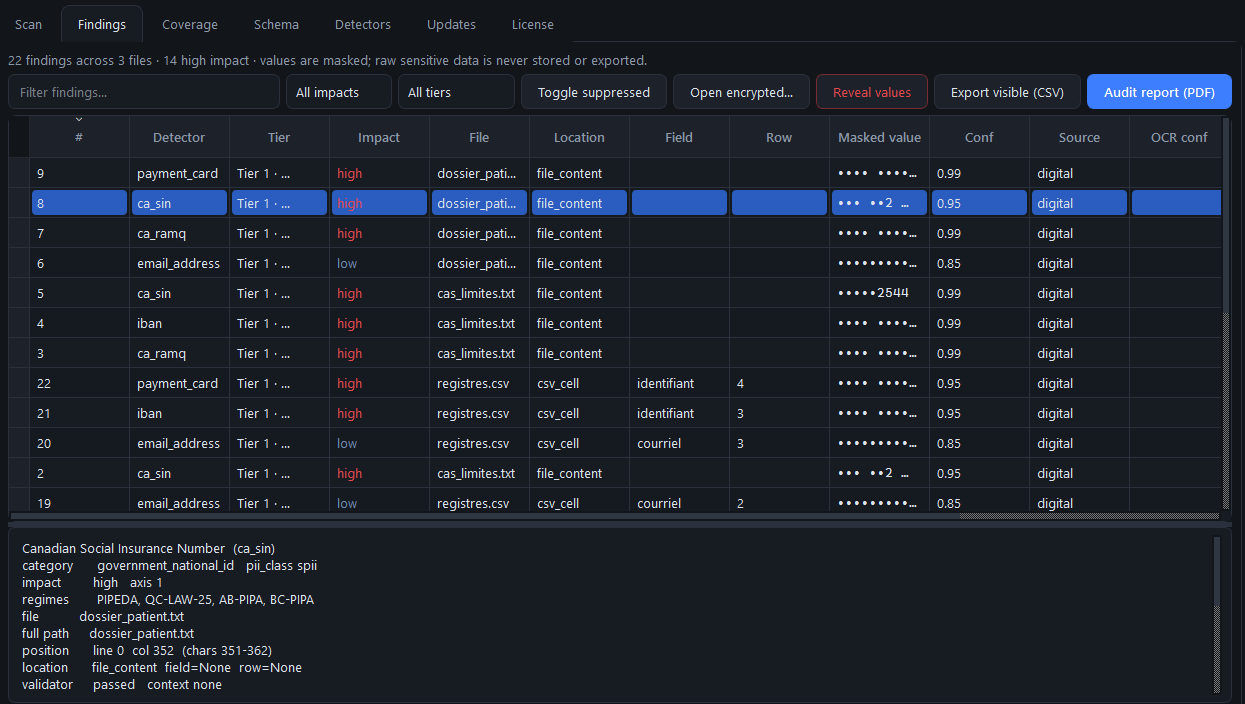
VellumSoft shows each email finding with its folder and sender, its date and subject, and the attachment name, which is what a reviewer needs to decide whether a message stays or goes. Version 2.0.2 does not read Word (DOCX), Excel (XLSX), ZIP or 7z files, so a Word or Excel attachment inside a PST is not read either. A scan of an old mailbox therefore says nothing about those attachments. A scan is not a guarantee that every instance in a data set will be found.
What the scan produces
The last step of the check needs a record. VellumSoft produces a PDF audit report with the scan scope and timestamp, findings grouped by regulation with counts per data type, file-level locations and a coverage disclosure, and the report holds no raw values. VellumSoft can also export a masked CSV of the findings shown on screen, which suits a remediation list for the migration team.
The retention hold is the reminder that imported mail is shielded from deletion by the mailbox's retention policy until someone decides otherwise, and PIPEDA expects that decision to be made12.
This page explains the law in general terms and is not legal advice.
Questions
What happens to retention policies after a PST import to Microsoft 365?
Microsoft says the retention hold setting on the mailbox is turned on indefinitely after an import, so the mailbox's retention policy is not processed until someone turns the hold off or sets an end date. Until that decision is made, the retention policy deletes nothing that was imported.
How large can a PST file be for a Microsoft 365 import?
Microsoft says to upload or copy PST files no larger than 20 GB, because large files can affect import performance. Any single item larger than 150 MB is skipped, since that is the Exchange Online message size limit.
Can a business keep old email forever under PIPEDA?
Not if it holds personal information. PIPEDA says personal information shall be retained only as long as necessary for the purposes it was collected for, and that information no longer required should be destroyed, erased or made anonymous, subject to any legal retention period.
Who is responsible for personal information once it is in Microsoft 365?
The organization that put it there. PIPEDA makes an organization responsible for personal information it transfers to a third party for processing, and requires contractual or other means to provide a comparable level of protection.
Sources
- Microsoft Learn, Learn about importing organization PST filesReviewed 28 Oct 2026
- Microsoft Learn, Use network upload to import PST filesReviewed 28 Oct 2026